
Compare and merge
Turn on Compare in the composer and your next message goes to two to four models in parallel. It’s useful when a question is contested, high-stakes, or outside one model’s strengths.
- Ask. Each model answers on its own. Answers appear as compact rows with the provider, progress, time, and cost.
- Choose. Pick Use this answer for one of them, or Merge & review.
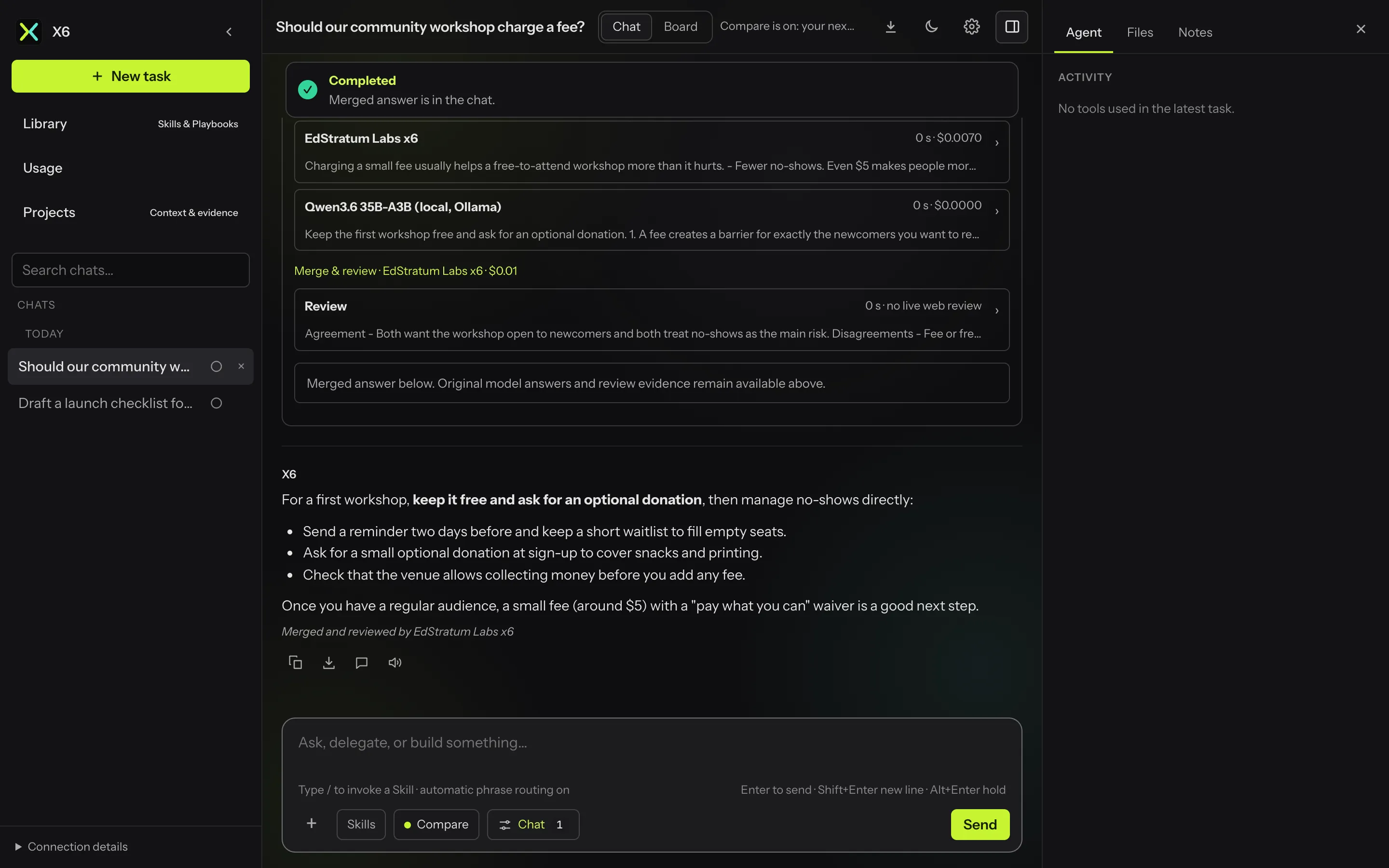
- Merge. A reviewer model maps where the answers agree and disagree, flags likely errors and gaps, then writes one merged answer. That answer becomes the reply.
The status banner above the chat follows the comparison: Comparing models, Answers ready, Merging answers, then Completed once there is a merged or chosen answer.
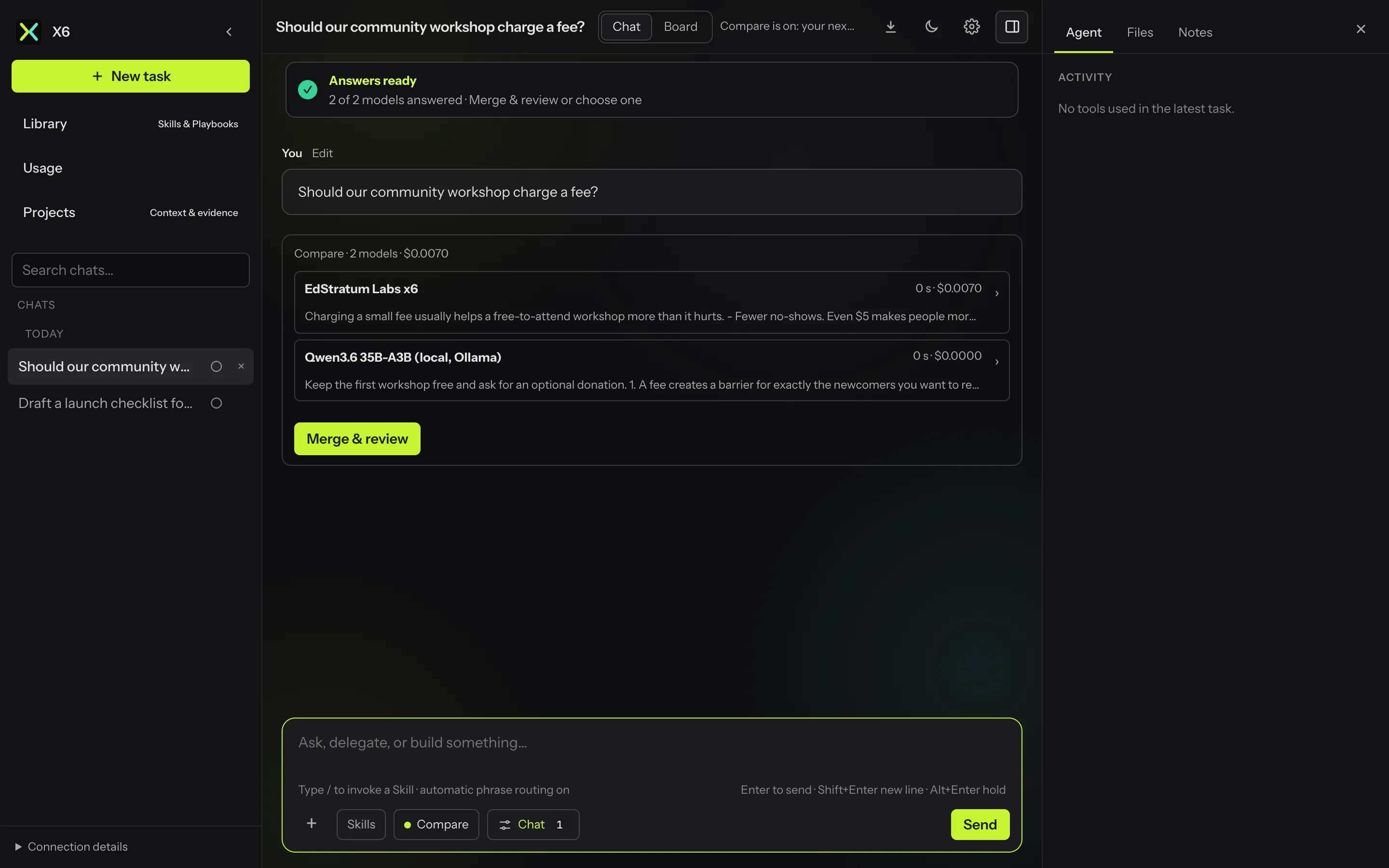
The original answers and the review notes stay expandable above the final reply, so you can see how the merge was reached. If some models fail, the successful answers are kept, and Retry comparison reruns the same question with the same models.
Settings
Section titled “Settings”Settings → Compare chooses the models, the reviewer, and whether models may search the web. With web search on, the reviewer also checks disputed claims against sources.
If the chosen reviewer can’t run, the next one in a fixed fallback order takes over and a notice says so.