
Agent runs and approvals
Every message starts an agent run on the server. The run streams X6’s replies, calls tools, and waits for your approvals. It keeps going if you close or reload the page, and the page picks it back up when you return. A dot marks chats with a run in progress.
How a run proceeds
Section titled “How a run proceeds”- Plan. For multi-step work X6 keeps a checklist, shown in the conversation and as progress in the agent panel.
- Work in rounds. Each round allows up to 20 tool calls, with guards against repeating the same call or getting stuck on one tool.
- Continue if steps remain open. If X6 stops early, the run starts another round (up to five) and tells X6 which steps are left.
- Finish. The status banner shows Completed, Incomplete, Stopped, or Failed.
Long runs stay within the model’s context by shortening older tool results.
Approvals
Section titled “Approvals”Some tools change things, so they wait for you: writing a file, running a command, creating a document or project, and starting a background process. The approval card shows the exact action before you allow it.
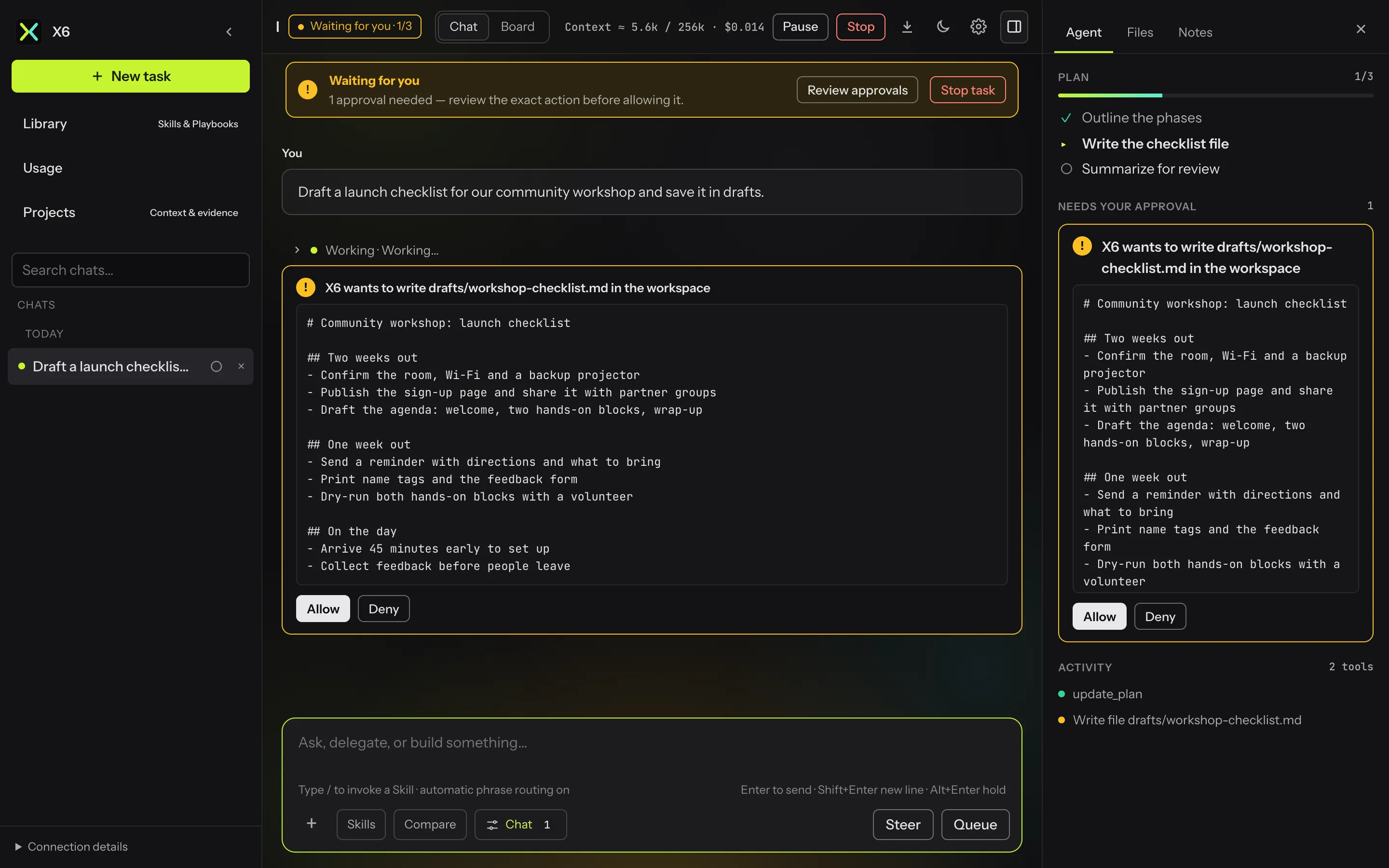
When one reply asks for several tools, every approval card appears at once. Allow all or Deny all on the first card answers the whole batch.
Approval modes
Section titled “Approval modes”Settings → Approvals offers three modes:
| Mode | Behavior |
|---|---|
| Ask | Each write, command, or document asks, unless the chat’s Auto-approve is on. |
| Auto-approve by default | New chats start with Auto-approve on. |
| Bypass | Nothing asks, except the always-ask tools left unticked (SSH server commands, GitHub writes, strict MCP servers). A red badge shows in the composer, and the chat’s Options menu shows Bypass in place of Auto-approve. |
An optional low-risk rule lets read-only commands, and writes to scratch folders, run without asking in Ask mode.
Pause, stop, and steer
Section titled “Pause, stop, and steer”- Pause takes effect after the current step; Resume continues.
- Stop ends the run. Tools still waiting for approval are marked “Not run”.
- While X6 works, Enter queues your next message for when the run finishes.
- Steer sends your message into the running task now.
- Hold (Alt+Enter) keeps a message on the chat’s held list until you send it.